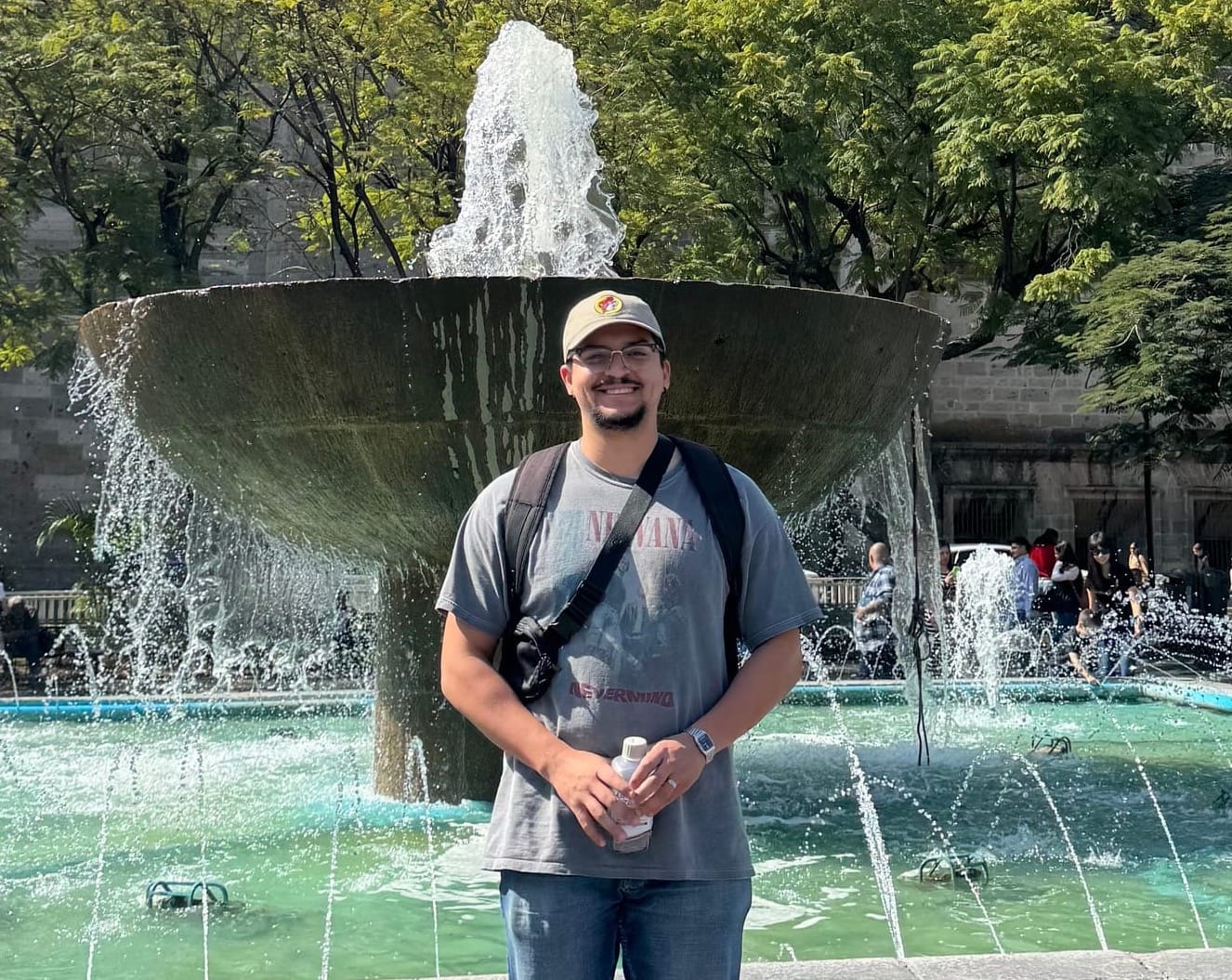

As an Associate Software Engineer on the App's Team Crew, Bryan Garcia uses his skills to build and maintain systems for the FlightAware website and web-apps. In addition, he was the intern coordinator for 2026.
This summer, FlightAware welcomed Deep Patel, a very talented student, from Chicago, to be this year’s summer intern. Deep took on a big challenge, which included poking around under the hood of our mono-repo, hunting for improvements, and delivering with professional-level expertise. Throughout the summer, Deep also connected with the organization through social events and engaged in tech and career development discussions led by our engineers. We are very excited to share what Deep was able to achieve in these three short months. - Bryan Garcia, Intern Coordinator

Hi, my name is Deep Patel, and I’m a rising senior at the University of Illinois Urbana-Champaign, studying Mathematics and Computer Science. This summer, I joined FlightAware as a Software Engineering Intern on the Account Integration Crew.
Outside of work and school, I enjoy staying active through gym workouts, trying new things, and spending time with my friends. I also enjoy playing pickleball, so if anyone is ever down for a one-on-one match, I’m always ready :)
I like being involved in activities that challenge me both physically and mentally. I would describe myself as someone who adapts quickly to new environments. When I step into something new, whether it is a sport, a new tool, or a technical challenge, I like to put in the effort to learn it properly and keep improving.
This internship gave me the opportunity to work on real authentication systems that support both FlightAware users and internal staff workflows. I was able to contribute to production level projects, learn from experienced engineers, and better understand how different parts of an engineering system come together to create a reliable user experience.
My Project
My project focused on improving AuthNXT/Login, FlightAware’s authentication system. AuthNXT supports the user-facing login experience, but it also plays an important role in how FlightAware manages sessions, access tokens, redirects, and secure access across different applications.
The main goal of my project was to make the login experience clearer and smoother. Some of my work focused on helping users reach the correct sign-in option more easily, while other parts focused on making staff workflows more visible and reducing confusion during authentication related flows.
This project helped me understand that authentication is not just about signing in. It also affects usability, security, staff workflows, redirects, session behavior, testing, and how different FlightAware applications work together.
My project involved working across multiple parts of the stack. On the frontend, I used Next.js, React, TypeScript, and shared UI components to improve login, OTP, MFA, Collins SSO, and impersonation related flows.
On the backend, I worked with Go based AuthNXT logic around OAuth callbacks, cookies, sessions, redirects, and user lookup behavior. Since the project focused on authentication, I also worked with concepts like OAuth, MFA, OTP, access tokens, browser storage, and cross subdomain cookie behavior.
For testing and debugging, I used Go unit tests, httpmock, browser DevTools, Datadog logs, incognito testing, local browser testing, and local/QA environments. I also gained more experience with Jira, Confluence, Git, GitHub pull requests, CI checks, and the deployment workflow.
Overall, the tech stack gave me exposure to frontend, backend, infrastructure, testing, and real authentication debugging in a production engineering environment.
User Experience Improvements
On the user experience side, I worked on making authentication flows easier to understand and less frustrating to use.
One area I worked on was the email one-time-password flow. During this investigation, I looked into why Safari/iOS sometimes suggested an authenticator app code when the user was still trying to enter an email code. This was confusing because the authenticator code belonged to a later MFA step, not the current email verification step.
I tested different frontend changes to make the email OTP field clearer, including email specific labels, updated wording, and autocomplete behavior. The main finding was that Safari/iOS autofill behavior could not be fully controlled through frontend code. The issue appeared to be tied to Apple Passwords and Keychain suggestions. Even though we could make the page clearer, Safari still decided which saved code to suggest.
I also worked on improving the mobile MFA experience. Since MFA codes are numeric, the goal was to make code entry easier by showing the numeric keyboard directly on mobile. This helps users complete the MFA step faster without switching between keyboard layouts.
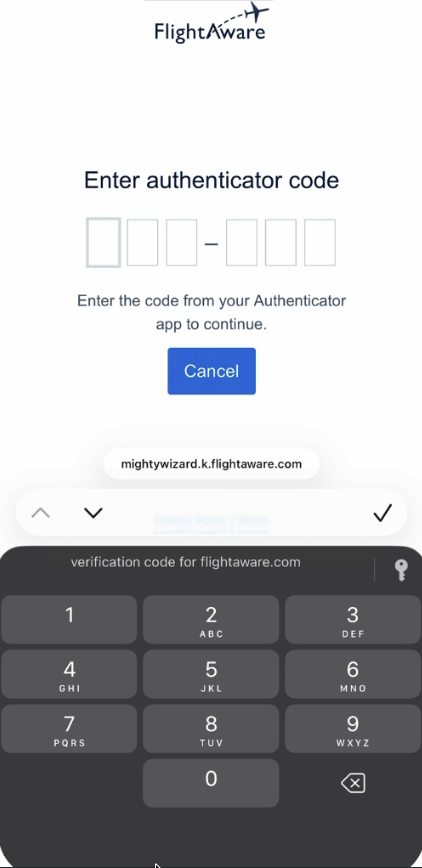
Another part of the user experience work involved redirect preservation. The goal was to make sure users could return to the page they originally wanted after signing in instead of being redirected somewhere unexpected. I tested multiple redirect flows, including deep links, incognito sessions, query parameters, refresh behavior, OAuth flows, and DevTools network responses. Even though I could not reproduce the original reported issue in the tested flows, the investigation was still useful because it validated several paths and helped uncover a related My Account redirect issue.
User Experience Challenges
One challenge was understanding the full login flow from the user’s point of view. Authentication has multiple steps, including email codes, MFA codes, redirects, and SSO options. I had to understand where users could get confused and how small changes could make the flow clearer.
Another challenge was that some parts of the login experience depended on the user’s browser, not just our code. For example, on iPhone Safari, the browser can automatically suggest saved verification codes. We could make the page clearer and give Safari better hints, but Safari still decides which saved code to suggest.
I also had to be careful with shared components. The same input component could be used in different authentication flows, so a change that helped one flow could accidentally affect another. That meant I had to make targeted changes and test the full user journey instead of only checking one screen.
Developer Experience Improvements
On the developer experience side, my work focused on making AuthNXT easier to test, debug, and maintain.
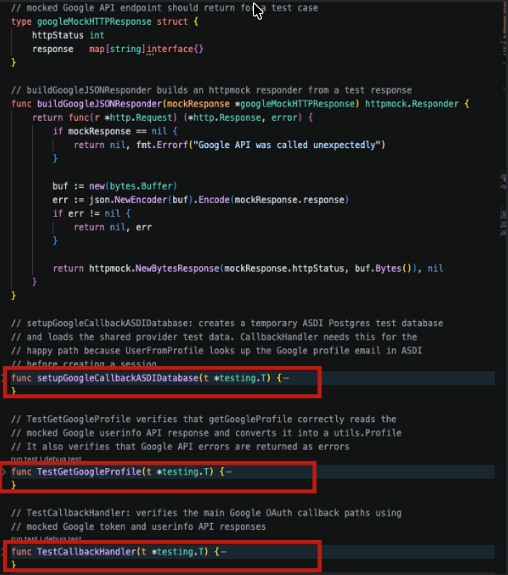
One area I worked on was improving OAuth callback test coverage for Apple and Google sign-in. OAuth login was already working, but the callback flow needed stronger tests because it handles important outcomes like successful login, provider errors, cancelled login, user lookup, signup redirects, and session creation. I used httpmock to simulate provider responses without making real external API calls, which made the tests more reliable and repeatable.
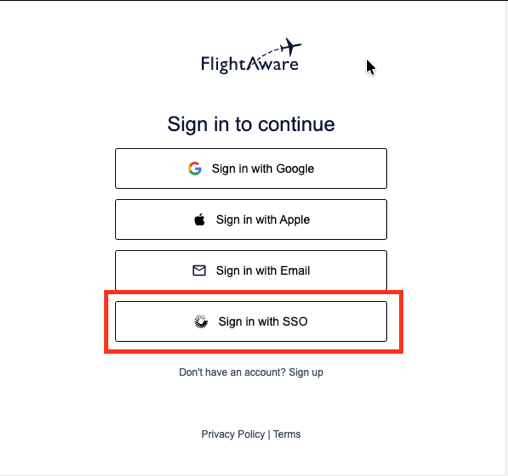
A larger part of my work involved investigating cookie and session behavior across login flows, especially for Collins SSO. The goal was to make the Collins SSO sign-in path easier to reach for returning staff users. I compared different approaches, including VPN/Zscaler IP detection, browser localStorage, and cookie-based remembered sign-in.The cookie-based approach was the strongest option because cookies can work across FlightAware subdomains when configured correctly, while localStorage is limited to one exact origin. This made cookies a better fit for remembering that a browser had successfully used Collins SSO before.
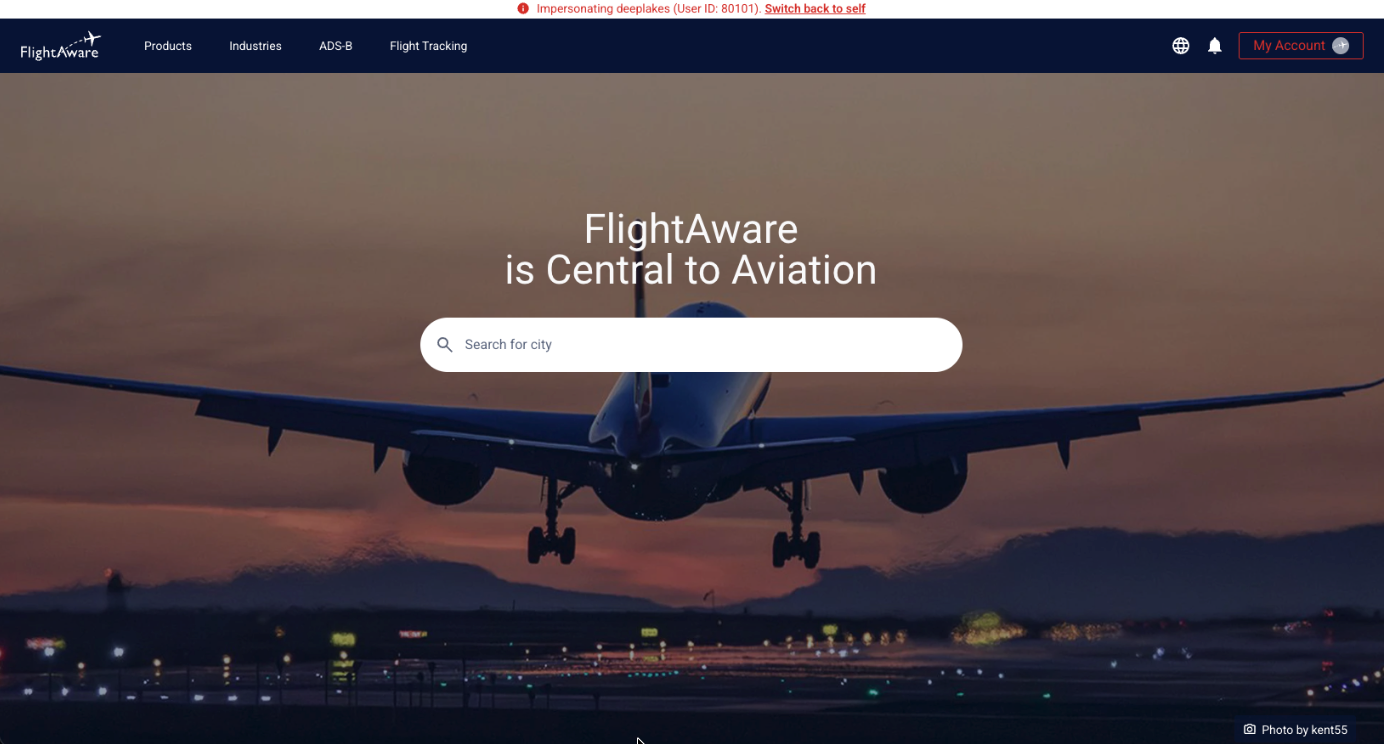
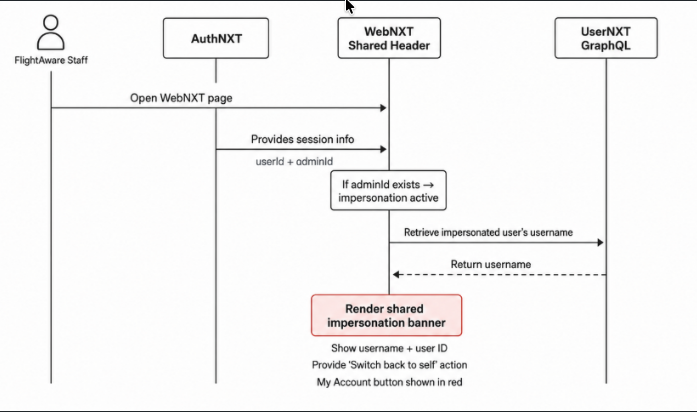
Another developer focused area was WebNXT impersonation. AuthNXT already allowed authorized FlightAware staff to impersonate another user for troubleshooting and customer support. My task was not to build impersonation from scratch. Instead, my responsibility was to surface that existing impersonation state inside WebNXT. I worked on adding an impersonation banner into the shared WebNXT header. The banner shows who the staff member is impersonating, displays the user ID, provides a “Switch back to self” action, and gives another visual reminder by changing the My Account button state. This helps reduce the risk of staff unknowingly continuing to act as another user.
Impersonation WebNXT Architecture:
I also worked on separating production and development cookie names. Cookies control important authentication state such as sessions, JWTs, redirects, CSRF, and intermediate login-flow data. If production and development environments use overlapping cookie names, testing in login-dev can interfere with production login state. Separating the cookie names makes testing safer and reduces unexpected logouts, session conflicts, and environment confusion.
Developer Experience Challenges
One early challenge was onboarding into a large production codebase. I had to learn the team workflow, local setup, Jira, Confluence, Git, pull requests, code reviews, and deployment steps. At first, there was a lot of new information, but working through smaller tickets helped me build confidence.
A technical challenge was understanding how the authentication state moves through the system. Cookies, sessions, redirects, userId, adminId, and environment differences all affected the behavior I was testing. This was especially important because authentication behavior could change depending on whether I was testing locally, in QA, or in a production like environment.
Another challenge was debugging issues that were not always caused by one clear piece of code. Sometimes a problem could come from local setup, browser state, stale cookies, environment variables, or build configuration. Because of that, I had to slow down and trace the flow step by step instead of assuming the issue was only in the file I was editing.
I also learned that testing real authentication systems requires thinking beyond the happy path. It is important to test what happens when login fails, when session state is different than expected, when a redirect is missing, or when a user is in a special state like impersonation.
What I Learned
This internship helped me understand that user experience in authentication is not only about how a page looks. It is also about how clearly the system guides users through each step of the flow. In authentication, users often move through several steps quickly, such as entering an email code, completing MFA, choosing the right sign-in option, or returning to the page they originally wanted. If any small part of that flow feels unclear, the whole login experience can feel confusing.
I also learned that even when the backend logic is working correctly, users can still experience friction because of frontend behavior, browser behavior, or unclear UI states. For example, Safari/iOS autofill behavior showed me that not every user facing issue can be fully controlled through frontend code. This helped me think more from the user’s perspective. Instead of only asking, “Does the code work?” I started asking, “Does this flow make sense to the user?” and “Could anything here cause confusion?”
I learned how important testing and maintainability are in real engineering work. Tests are not just there to check if code passes; they also help protect important flows from breaking in the future. This was especially important for authentication because login behavior affects users, staff workflows, sessions, redirects, and other FlightAware applications.
I also learned how mocked tests can make external provider flows more reliable and repeatable. Instead of depending on real Apple or Google services during testing, mocked responses allowed us to control each scenario and test both success and failure paths more clearly. This helped me understand why good test coverage needs to include edge cases, not just the happy path.
Another major learning was that production debugging often means looking across multiple layers instead of just one file. Sometimes the issue is in the code, but other times it depends on environment setup, cookies, headers, sessions, browser behavior, build configuration, or another service. Because of that, I learned to slow down, trace the full flow, and understand the system before assuming where the problem was.
Overall, this internship helped me become more comfortable debugging authentication flows, writing clearer test coverage, communicating findings through Jira updates and pull requests, and thinking more carefully about how engineering decisions affect real users.
Conclusion
My internship at FlightAware gave me the opportunity to work on real authentication problems that affected both users and internal staff workflows. My project helped me understand how important authentication is, not only from a security perspective, but also from a usability and reliability perspective.
Most importantly, I learned that real engineering is not just about writing code. It is about understanding the problem, testing carefully, collaborating with the team, and building solutions that are engaging for users.
I’m very grateful for the opportunity to intern at FlightAware and be part of the Account Integration Crew. This experience would not have been the same without the support and guidance from the people around me.
John Gills helped guide the overall direction of my internship project and gave me the opportunity to contribute to meaningful AuthNXT/Login work. Chad Fusco, my mentor, supported me throughout the internship by helping me understand the codebase, walking me through technical challenges, debugging with me, and guiding me when I was blocked.
I’m also thankful for the feedback and support from Nathan Reed and Anne Leslie Dean during debugging, testing, and code review discussions. Their input helped me think more carefully about edge cases and production behavior. I also appreciate Karina Elizondo and Bryan Garcia for managing the internship program and organizing learning events that helped us connect, learn more about the company, and grow beyond our individual projects.
Overall, this internship helped me build confidence as an engineer, and I’m thankful to everyone who supported me along the way.